Outlook 2011 for Mac Import
How To Import Your Mail Into Outlook 2011 for Mac
Step 1:
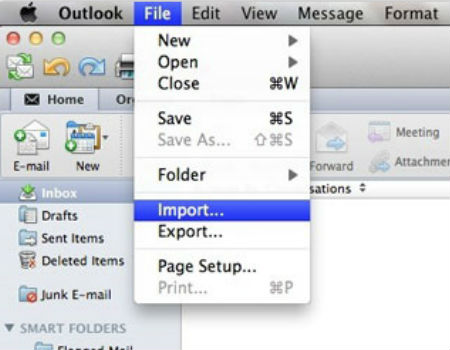
From the 'File' menu, select 'Import.'
Step 2:
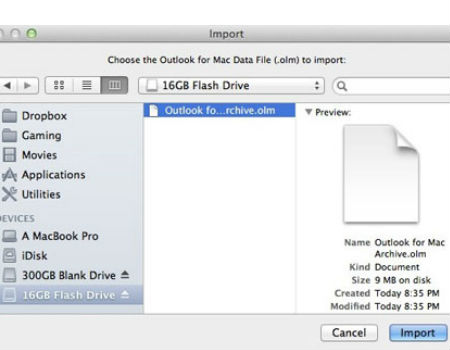
Select which Outlook for Mac Data File you will import
Click 'Import' and wait for all data to return. This may take time.
Step 3:
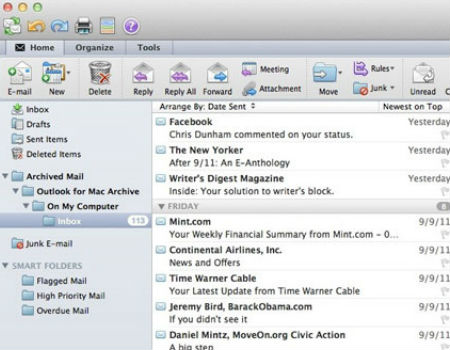
Return to Outlook 2011 for Mac and wait for returning mail from backup.